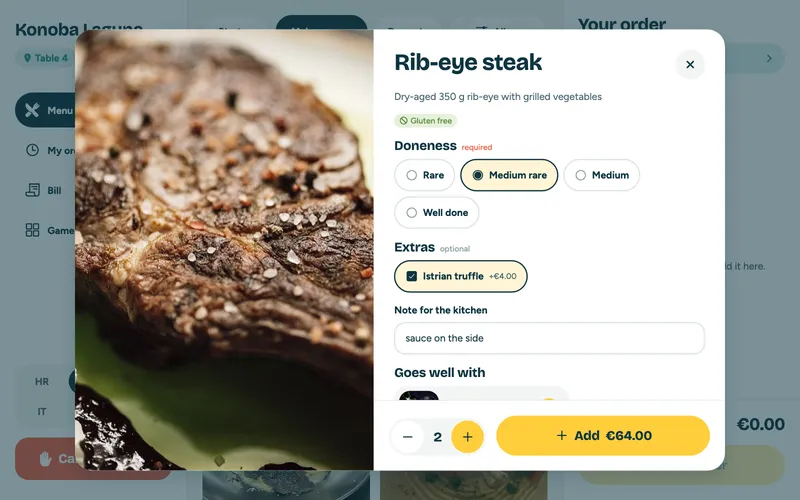
Options, extras and a note
Doneness, sides, truffle for a surcharge or "sauce on the side". The price adds up on its own and the cook sees exactly what the guest wants.

amiguest is a complete system for restaurants and cafés: a tablet on the table and a QR code for the guest's phone, in six languages, a kitchen display, a waiter app and a web admin for the owner. Guests order, split the bill and pay by card at the table. No paper tickets, no waiting and no misheard orders.
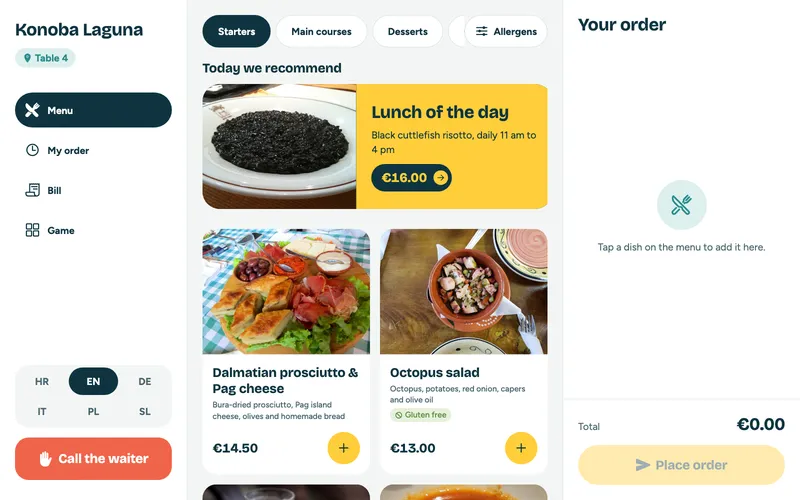



Real amiguest screens, not mock-ups. This is what an evening looks like when the tablet works for you.
Doneness, sides, truffle for a surcharge or "sauce on the side". The price adds up on its own and the cook sees exactly what the guest wants.
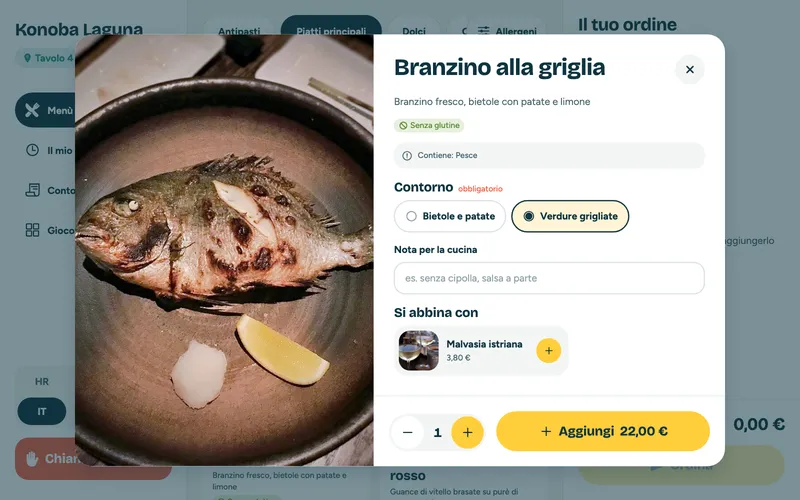
A guest from Milan reads the menu in Italian, and the tablet suggests a Malvasia with the sea bass.
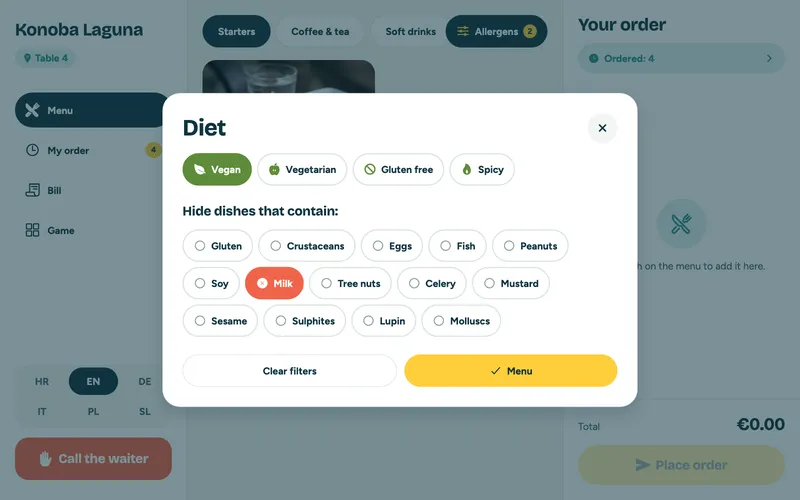
Vegan, gluten-free or no milk: guests see only what they can eat.
Lunch of the day at noon, happy hour at sunset. Set it once and the tablet keeps the time.
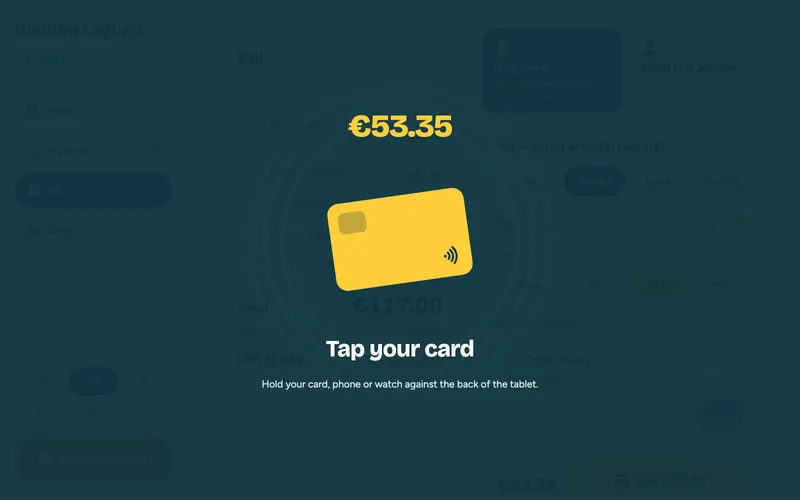
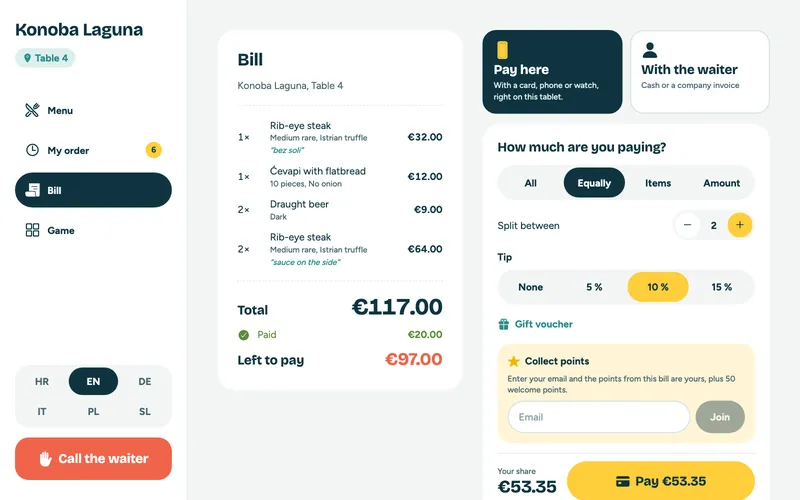
Card, phone or watch right on the tablet. The bill split the way the party wants, each with their own tip.
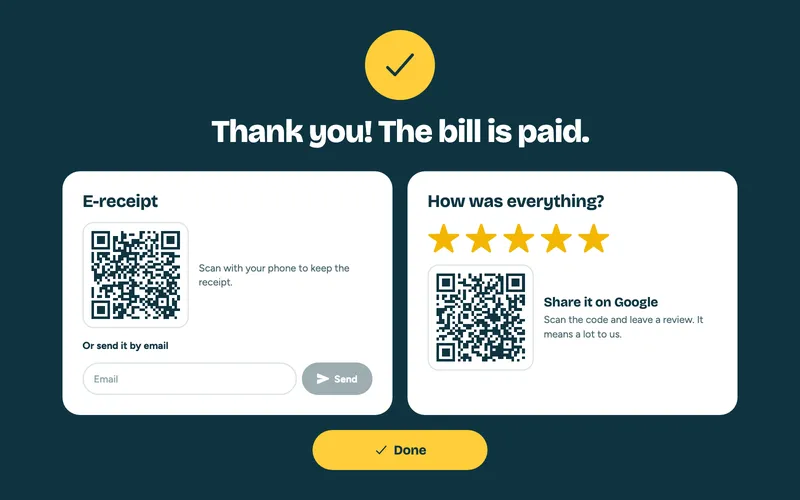
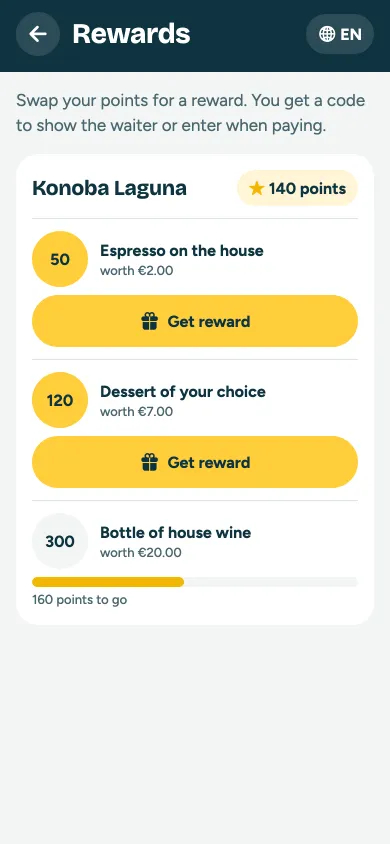
An e-receipt by QR code or e-mail, a rating right after paying and a Google review QR for happy guests. Loyalty points and gift vouchers sit on the same screen.
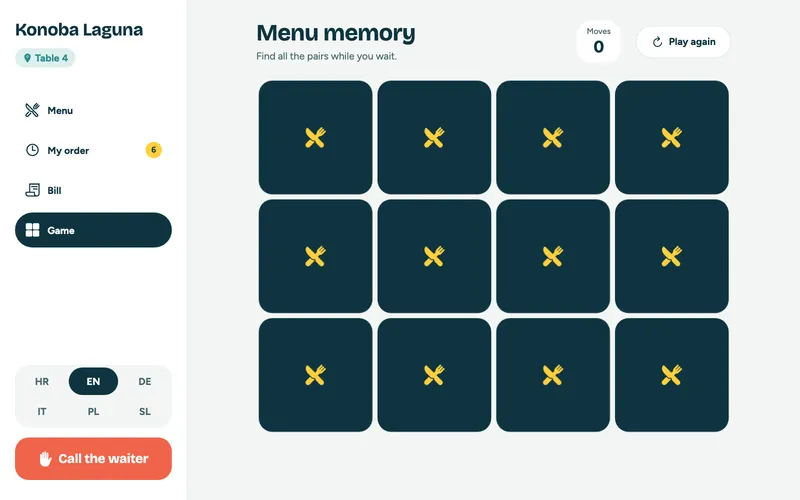
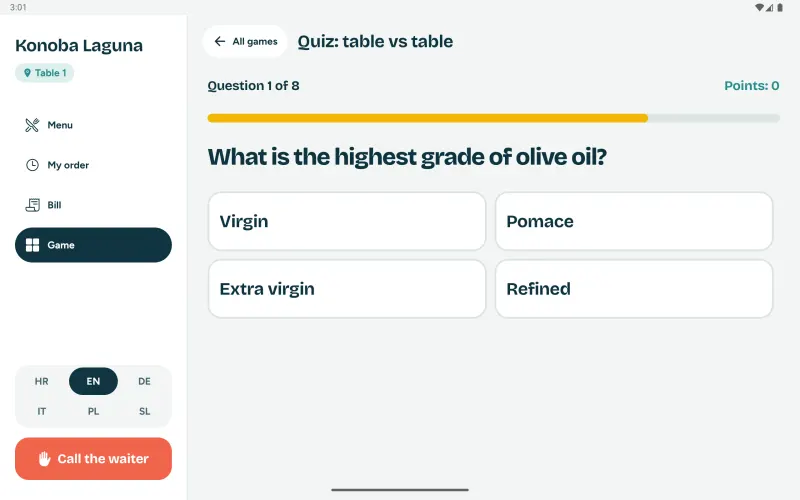
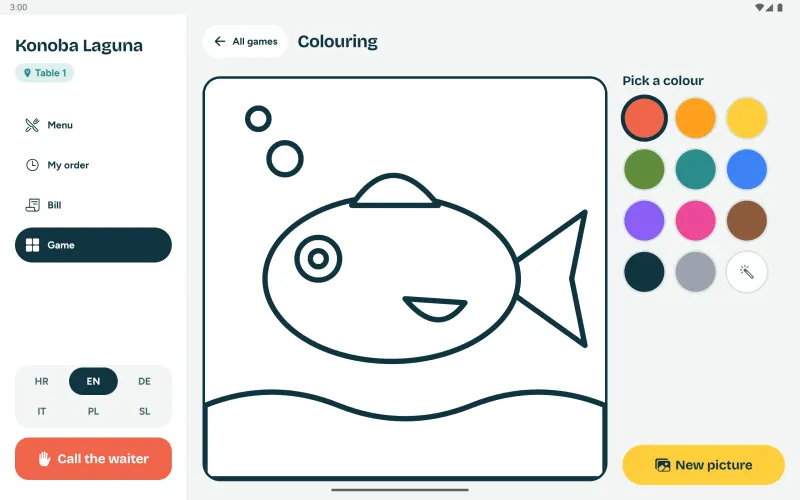
A table vs table quiz, colouring, games for two and games made of your dishes. Children stay happy and adults are already choosing dessert.
Guests write what they like, in their own language, and AI suggests a dish and a drink from your menu.
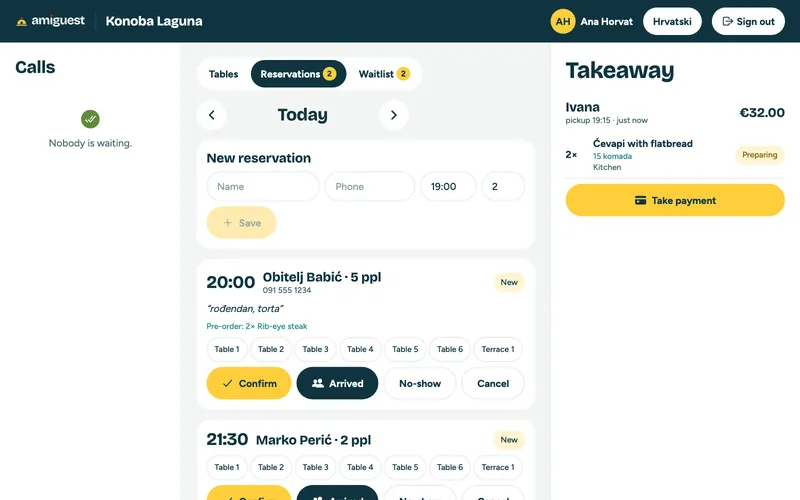
Reservations, the waitlist, takeaway and partial payments on the same screen as tables and calls.
From the first tap to a Google review in five steps, each one seen only by whoever needs it.
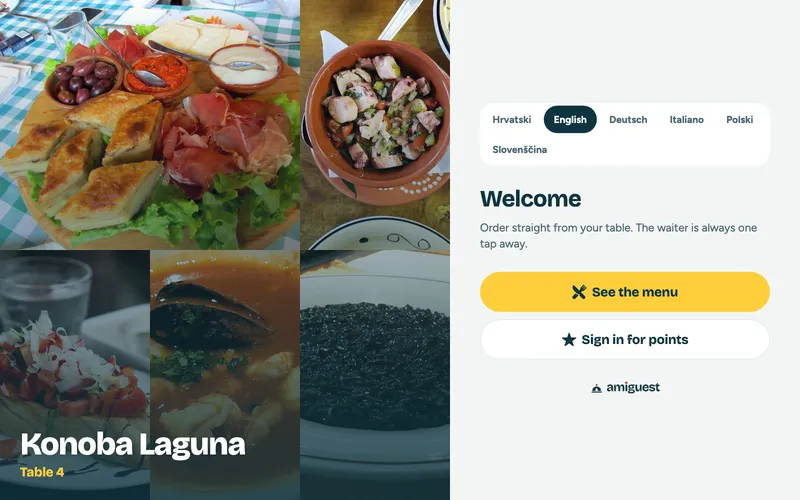
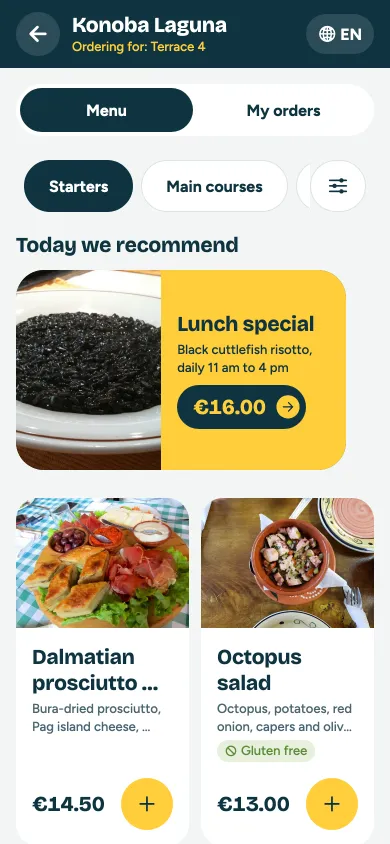
The tablet on the table greets guests with dish photos in six languages: Croatian, English, German, Italian, Polish and Slovenian. An allergen filter hides what a guest can't eat, and every dish suggests what goes well with it.
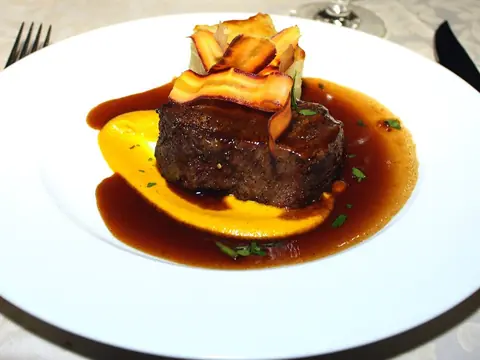
How the steak is cooked, the side, extra truffle or a note for the kitchen. Paid extras go onto the price and the bill on their own, and the cook sees the note highlighted.
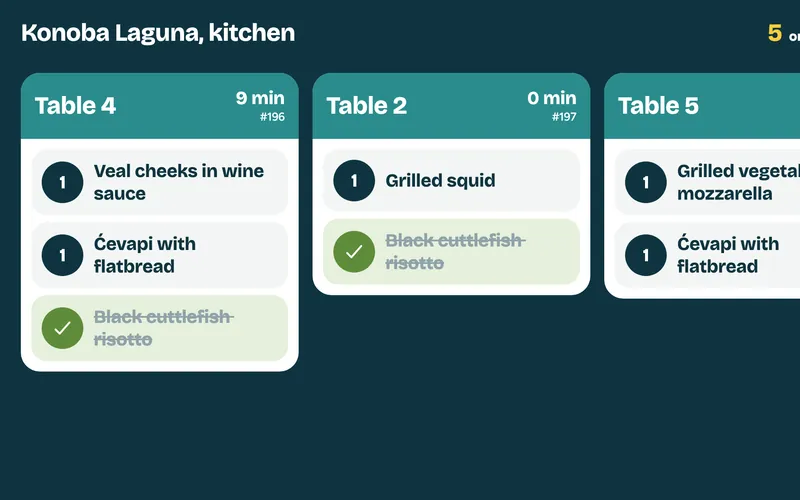
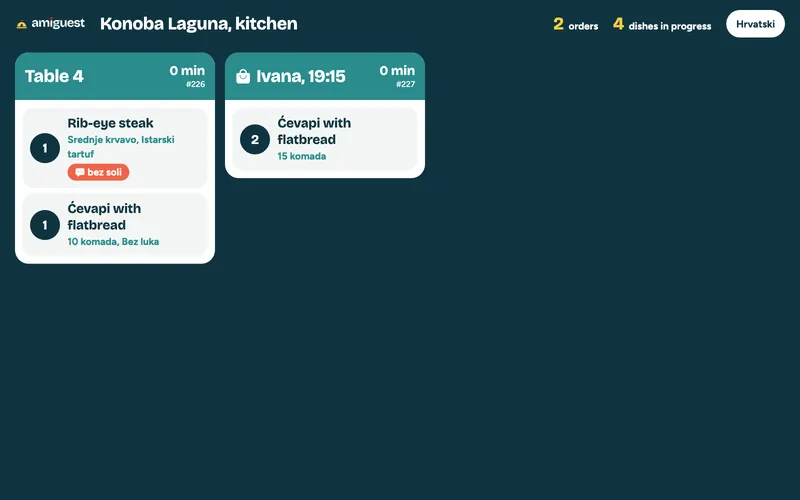
Dishes appear on the kitchen display with their options and notes, and drinks go to the waiter. The cook taps a dish when it is ready and the guest sees it at the table straight away.
The tablet is also the card terminal. A party splits the bill equally, by items or by amount, everyone picks a tip and taps a card, phone or watch. The bill closes and is fiscalised on its own.
After paying, guests scan the e-receipt or get it by e-mail and rate the visit. Happy guests get a QR code for a Google review, while complaints stay with you.
The longest wait in a restaurant is the one for the bill. With amiguest there is none: guests pay when they like while the waiter serves other tables.
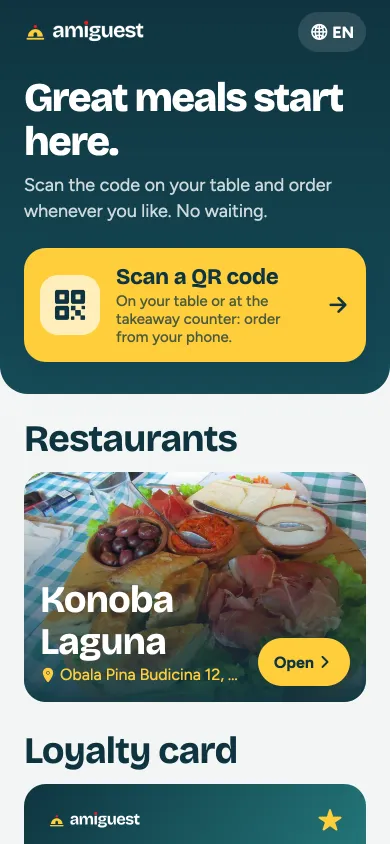
The amiguest app for iPhone and Android: guests scan the QR code on the table, order when they like, get notified when the food is ready and collect points for rewards. Those without it yet get the same menu in their browser from the same QR code, nothing to install.
On the table tablet: children stay happy, grown-ups have fun, and the wait for the food goes faster. Two of the games are made of your menu, so they sell while they play.
Tablets, the guest's phone and one browser. Everyone sees only what they need.
Orders from the table or from their own phone, in their language, picks options, follows the order, splits the bill, pays by card and collects points.
Sees every table, call, reservation, the waitlist and takeaway orders on one screen, and takes payment part by part.
Receives food only, with options and notes, oldest order first, with a colour that warns when guests are waiting.
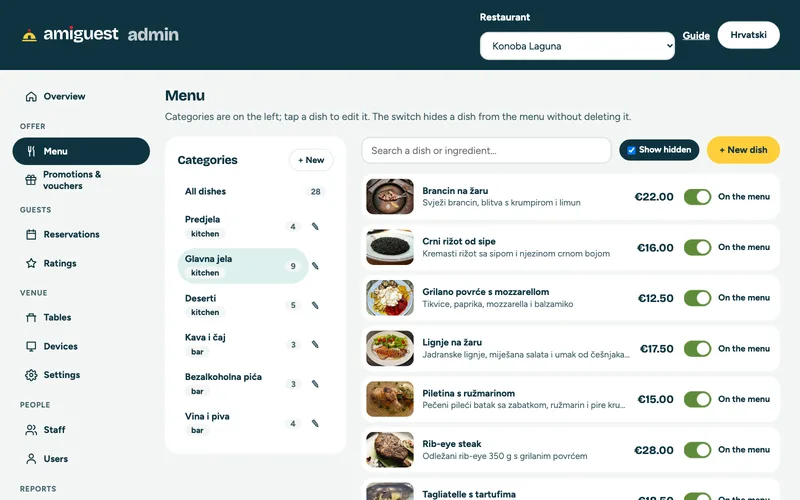
Edits the menu, allergens, options, pairings, promotions, translations and QR codes, and follows sales, tips and ratings.
From the guest's first tap to the report at the end of the month.
Croatian, English, German, Italian, Polish and Slovenian, for the whole interface and the menu. Guests switch with one tap and prices follow their conventions.
Every dish has a photo, a description and a price including VAT. Changes from the admin reach the table at once.
All 14 allergens under EU regulation 1169/2011 plus vegan, vegetarian, gluten-free and spicy tags. One filter hides everything a guest can't eat.
Doneness, sides, sizes, paid extras and a note for the kitchen. Extras go onto the bill, the note to the cook.
Every dish suggests a wine, drink or dessert that can be added with one tap. A bigger average bill without pushing.
Lunch of the day from 11 to 4, terrace happy hour from 5 to 8. Each promotion appears and disappears on its own schedule.
One tap and the waiter sees which table needs them and how long it has waited.
Guests see what is being prepared and what is ready without asking.
The tablet is also the card terminal: card, phone or watch (Apple Pay, Google Pay), with no separate terminal and no waiting for the waiter.
Equally per person, by items or by amount. Everyone pays their part and picks their own tip.
Guests enter a voucher code and the amount comes off the bill. Whatever is left stays for next time.
Guests join with an e-mail when they pay, get welcome points and collect points with every bill.
The bill as a QR code on the tablet or by e-mail. Less paper, and the guest always has it to hand.
After paying, guests rate the visit. For 4 or 5 stars they get a QR code for a Google review; lower ratings with comments come only to you.
A table vs table quiz with points, colouring for children, tic-tac-toe, four in a row, a puzzle and guess the dish from your menu.
Guests write what they like, in their own language, and AI suggests a dish and a drink from your menu, respecting allergens.
Guests scan the code on the table and order from their own phone, with nothing to install. The order reaches that table just like from the tablet.
Guests order from their phone with a name and a pickup time, and the kitchen sees who is coming and when.
Day, time and party size, plus dishes in advance if they like. The booking shows up for the waiter at once and the guest follows the confirmation.
No free table? Guests join the list and see on their phone how many are ahead and when you call them.
Guests check their points and rewards at any time.
Works in the browser on any phone, and the guest app runs on Android tablets as well as iPad and iPhone.
Calls, tables, orders, reservations, the waitlist and takeaway on one screen, with a colour for every table state.
The waiter takes part of the bill in cash or by card and the rest stays open. They also see what was already paid on the tablet.
A booking is assigned to a table and shows on its tile with time and party size. Phone bookings are entered in seconds.
Orders in sequence, with options, notes and waiting time, and no paper tickets. The bar gets drinks only.
Card or cash, tips, discounts and R1 invoices with the buyer's tax number. Tips paid on the tablet are added up automatically.
Bills are fiscalised under Croatian Tax Administration rules, with ZKI and JIR codes.
A wrong bill is voided with a reason, and every change is recorded.
Every waiter has a PIN, so you always know who took which payment and how much they earned in tips.
Dishes, prices, descriptions, photos and categories, from a computer or phone. Tablets show changes at once.
For each dish, mark allergens and diet tags, build options with surcharges and choose what goes well with it.
Dish names, descriptions and categories in all six languages. Anything untranslated is shown in English.
Create a QR code for every table and for takeaway with one click, ready to print.
Promotions with a time window, and gift vouchers with a code, an amount and an expiry date.
The average rating, the spread of stars and guest comments in one place.
Sales by day and waiter, average bill, tips per waiter, best sellers and the cash position.
Every dish deducts ingredients by recipe. Goods received, stocktaking and low-stock alerts.
Supplier list and a suggested order based on sales and stock.
Restaurant, terrace, bar or several venues under one account, each with its own tables.
Reservation confirmations to guests, stock alerts and a daily sales summary to you.
Yes. The tablet on the table is also the card terminal: guests pick a tip and tap a card, phone or watch (Apple Pay, Google Pay) on the tablet, and the bill closes and is fiscalised on its own. Meanwhile the waiter can serve other tables.
Yes, from their phone (iOS and Android). Guests pick the day, time and party size, can pre-order dishes, and the booking appears for the waiter at once, who confirms it and assigns a table.
No. The tablet is on the table, and from a phone guests order by scanning the QR code on the table, with nothing to install. The same way they book a table, join the waitlist, order takeaway and check their points.
Every dish carries all 14 allergens under EU regulation 1169/2011 plus vegan, vegetarian, gluten-free and spicy tags. One filter hides everything a guest can't eat.
Yes. On the tablet the bill is split equally per person, by items or by amount, and everyone pays their part by card with their own tip. The waiter can still take part of it in cash.
After paying, guests rate the visit. Anyone giving 4 or 5 stars gets a QR code that takes them straight to your Google review page. Lower ratings with comments come only to you, so you can deal with them.
Yes. Bills are fiscalised under Croatian Tax Administration rules, and R1 invoices with the buyer's tax number are supported.
The guest app runs on Android tablets and on iPad and iPhone (iOS). For card payment right at the table the tablet needs to be Android with built-in NFC (Android 12 or newer). You need one tablet per table, one for the kitchen and one or more for waiters. We help you choose and buy them.
Yes. The guest app is available for Android and iOS, so your tables can use Android tablets or iPads, whichever suits you.
Yes. In the web admin you edit dishes, prices, descriptions, photos, categories, tables and waiters from a computer or phone. Tablets show changes at once.
Yes. Send us your menu and photos and we enter and translate them before you start.
Yes. A restaurant, terrace, bar or several venues run under one account, with sales together or per venue.
The tablets work over Wi-Fi, so we recommend reliable Wi-Fi across the venue. We can help set up the network.
Guests get six languages: Croatian, English, German, Italian, Polish and Slovenian, for the whole interface and the menu. Staff work in Croatian or English, and we add further guest languages on request.
We will show you the system on tablets, with your own menu if you send it. We answer every inquiry.
Prefer e-mail?
amidal@amidal.hr